
Gamdom App: Playing from a Phone in Canada
Most Gamdom sessions in Canada start on a phone — a few hands on the bus, a live NHL market checked at the arena. This page covers what the mobile build does, how to put a launcher icon on your home screen, and where mobile play differs from desktop.
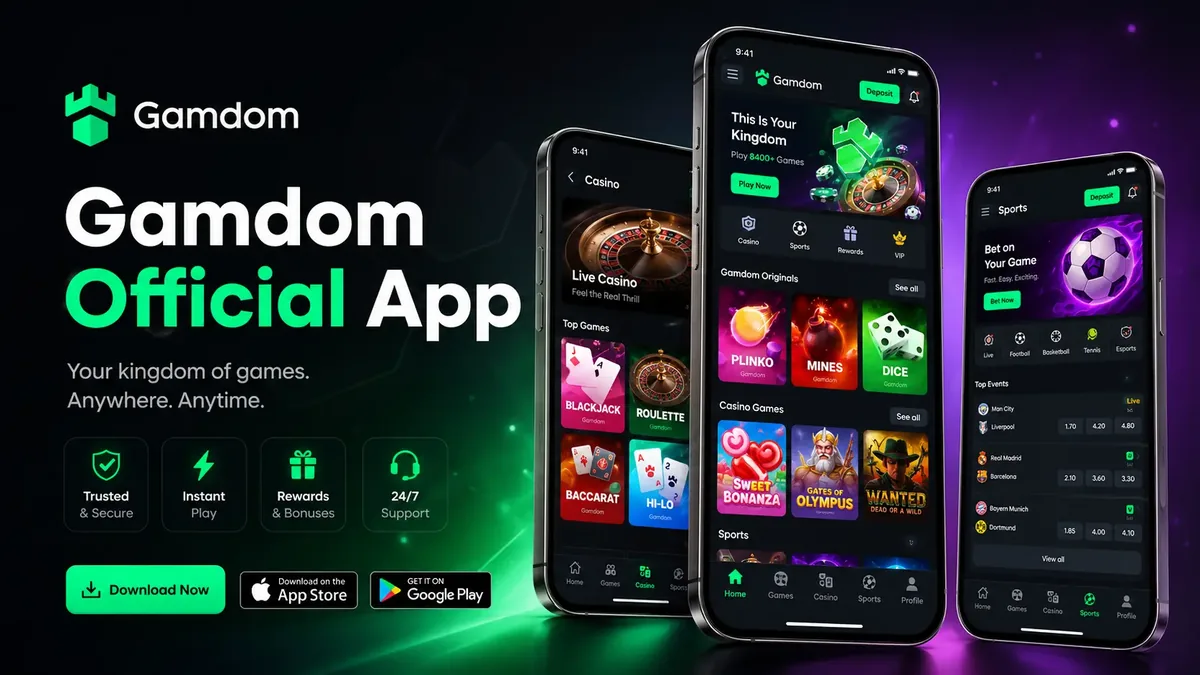
Putting Gamdom on your home screen
Both mobile browsers can install a web app as an icon. The result behaves like a native app: tap the icon, land straight in the lobby, no browser chrome around the edges. Nothing is downloaded, nothing needs updating, and the icon disappears the moment you delete it.
One practical note for Canadian users on shared devices: an installed shortcut keeps you signed in the same way the browser does. If the phone gets passed around, sign out deliberately rather than relying on the icon being buried on the third home screen.
What the mobile build actually does
Everything from the desktop account is reachable, but four areas are worth describing because they behave differently under a thumb.
Casino games
Slots and Originals are built to portrait orientation and load as fast as they do on desktop — Crash, Mines, Plinko and Dice in particular were designed for short sessions. Live dealer tables run in landscape and stream video, so they want a good connection.
Sportsbook
Sport rail across the top, matches down the middle, and a bet slip that collapses to a bar at the bottom instead of covering the markets. Parlays build the same way as on desktop. See the sports betting page for the market side of it.
Account and rewards
Deposits, withdrawals, Rewards, Royalty progress and Special Rewards are all in the mobile menu — a CA$100 top-up takes the same steps from a phone as it does from a laptop. The referral code field on the mobile sign-up form is in the same place as on desktop, under Password.
Notifications and chat
Community chat and the notification bell sit behind the header icons. On a small screen, chat overlays the game rather than sitting beside it, which is worth knowing before you open it mid-round.
Mobile against desktop
| Area | Mobile browser | Desktop |
|---|---|---|
| Slots & Originals | Full, portrait-first | Full |
| Live dealer | Works; higher data use, landscape | Best experience |
| Sportsbook | Full, collapsing bet slip | Full, multi-column |
| Multi-tabling | One game at a time | Practical |
| Deposits / withdrawals | Full | Full |
| Referral code entry | Same field, under Password | Same field |
Data note for Canadian plans: a slot session is measured in kilobytes, a live blackjack table in tens of megabytes per hour. If you are on a capped plan, save live tables for Wi-Fi.
Keeping a mobile account safe
- 01Lock the deviceA phone with no passcode is an open account, no matter how strong the password is.
- 02Turn on two-factorIf your account offers it, enable it before you play anywhere but home.
- 03Check the addressFake mobile casino pages copy the layout convincingly. Confirm the domain before typing anything, and reach the site from your own bookmark.
- 04Skip public Wi-Fi for paymentsAirport and café networks are fine for reading; use cellular data for deposits and withdrawals.
- 05Set limits on the device you use mostA CA$200 weekly deposit cap set on a calm Tuesday holds better than a decision made mid-session on a Saturday night.
App and mobile questions
Gamdom runs as a browser-based platform, and the reliable way to reach it from a Canadian phone is Safari or Chrome at the site itself. App-store availability for real-money gambling apps varies by country and changes without notice, so rather than pointing you at a listing that may not exist in the Canadian store, this page covers the mobile web build — which is the same account, the same games and the same balance.
On iPhone, open the site in Safari, tap Share, then Add to Home Screen. On Android, open Chrome's menu and choose Add to Home screen or Install app. You get a launcher icon that opens full screen without the browser chrome.
Yes. The mobile sportsbook keeps the sport rail, live matches and bet slip, with the slip collapsing to a bar at the bottom of the screen so it does not cover the markets. Multi-leg builds work the same way they do on desktop.
Sessions persist on a device you trust until you sign out or clear browser data. On a shared or public phone, sign out deliberately — and if two-factor authentication is available on your account, turn it on before you play anywhere but home.
Slots and Originals are light. Live dealer tables stream video, so blackjack or roulette with a real dealer over LTE will use noticeably more data than spinning a slot on Wi-Fi at home.
Same account, smaller screen
Sign up on the phone with 15BOOST in the Referral Code field and the welcome package attaches exactly as it does on desktop.